Collect More with
Simple Patient Payments

Make payment capture a seamless part of the patient journey.

Pre-Visit Capture
Pre-Visit
Capture
Card-on-File Payments
Card-on-File
Payments
Staff Payment Management
Staff Payment
Management
On-Demand Payments
On-Demand
Payments
Star rating graphic showing five stars

"Digital collection reduced front-desk burden. Patients can pay digitally, decreasing the need for front-desk and over-the-counter payment collection."

Chief Clinical Officer
FQHC, Dallas, TX

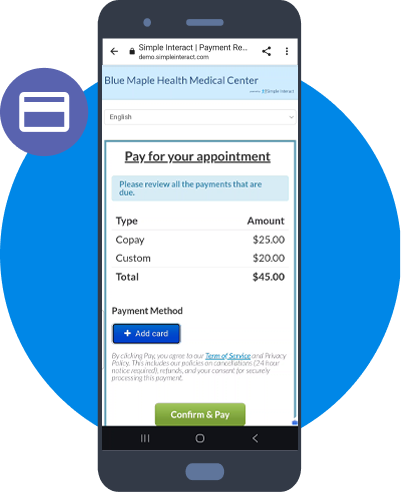
Pre-visit Payment Capture

Provide a seamless digital check-in experience prior to the visit. The payment step is added to a patient's checklist only when there is an amount due. This could be a copay, balance due, or custom amount. Patients can review charges, key in their card info, submit payments, and view receipts.

Card-on-File by Patient and Staff

Patients can save their card-on-file during the payment process and consent to future charges by staff. Staff can also gather card information over the phone and with the patient's consent, save the card-on-file. Staff can use this card to apply a charge (e.g., late fee) in the future.

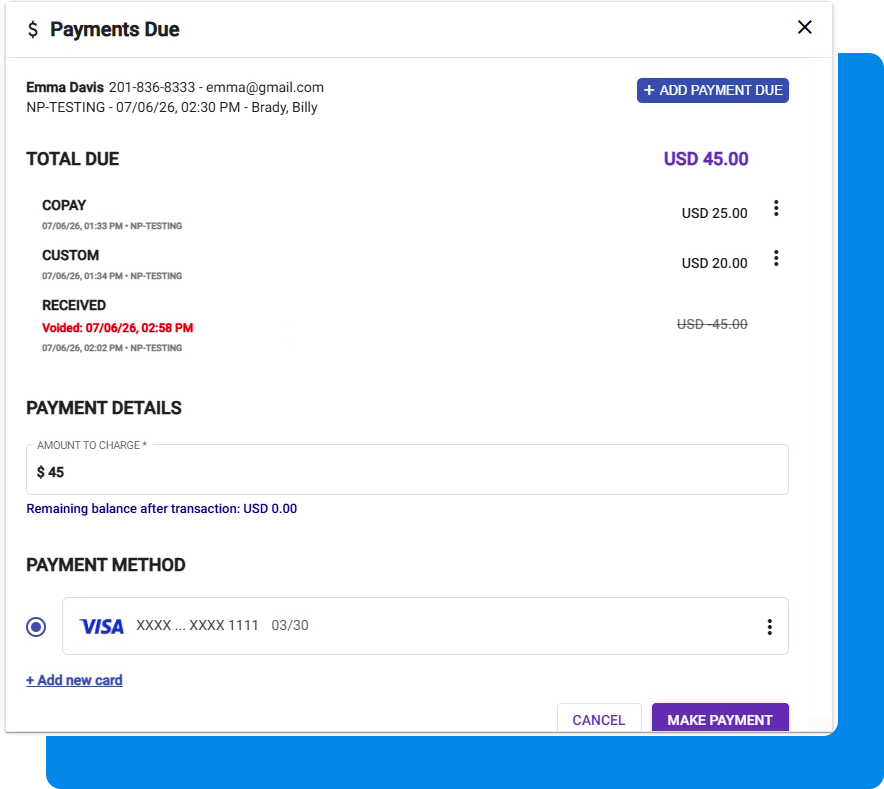
Staff Dashboard

  • View payment amounts due
  • Add custom amount
  • View collected amounts
  • Void a payment
  • Refund full or partial amount
  • Charge against card-on-file
  • Add card-on-file

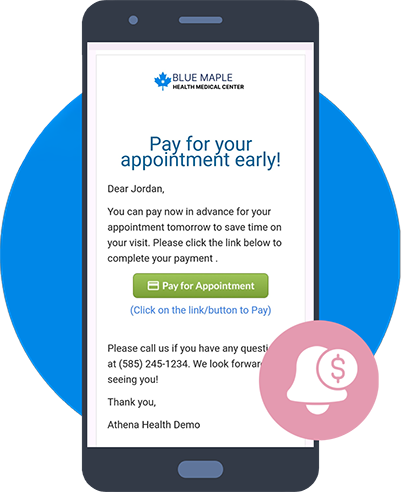
On-the-fly Payment Requests

Staff can use on-demand Email/SMS messages at any time to ask patients to pay amounts due. Staff can also use our 2-way Patient Texting service to nudge patients to complete the payment step. In both cases, staff typically use templatized messages and pre-configured payment links.

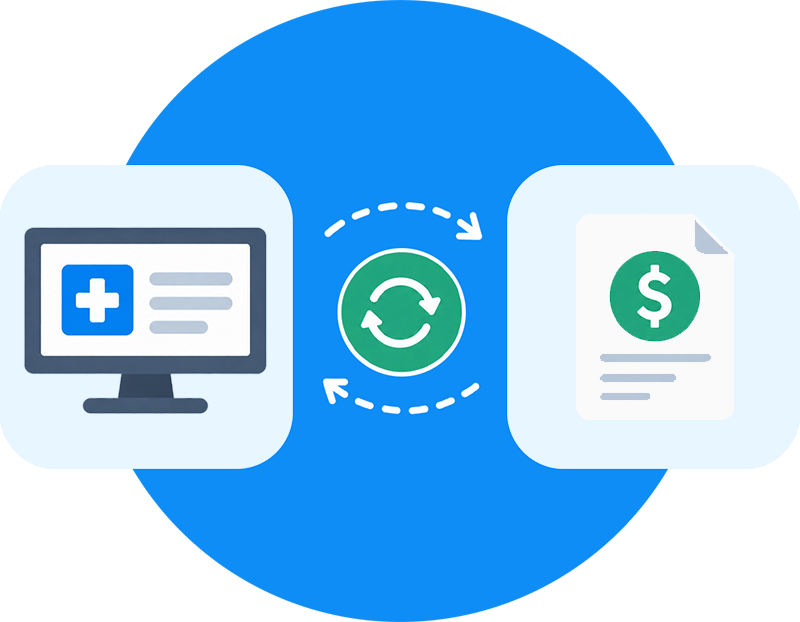
Integration: Payment Retrieval and Posting

Simple Interact can retrieve payment amounts due from your PM/EMR system through API, HL7, or file-based import, with manual staff entry also available. Amounts are typically retrieved 24 hours before an appointment after patient responsibility is determined. Once submitted, payments are posted as an unapplied balance, either automatically or through standards-based batch files, depending on the integration.

Customized to Meet Your Specific Needs

Minimum Deposit from Self-pay Patients

When a self-pay patient calls to book an appointment, some practices might have a policy to collect a minimum payment as deposit before booking the appointment. Staff can ask the patient to provide card information over the phone and enter card information, custom amount, and submit the payment. Staff can also verbally obtain permission to store card-on-file, check the box on dashboard, and save it.

Capture Card-on-File Upfront to Prevent No-Shows

Some practices (e.g., Physical Therapy) experience a higher no-show rate and therefore might have a policy to capture card-on-file prior to the visit. This can be added as a mandatory step to the patient checklist. This allows staff to cancel the appointment if card info has not been provided, or charge a no-show fee if the patient does not show up for the visit.

White Glove Service

White Glove Service

Our versatile platform allows our team of expert designers to quickly confligure custom workflows that meet your needs while paying attention to design, patient experience, patient participation, integration, reporting, and staff training. Personalized service is about more than blindly digitizing your current manual process — it’s about getting meaningful results for your organization.

Business Impact

Business Impact

  • Increase Patient Payment Capture
  • Improve Overall Cash Flow
  • Reduce Manual Staff Work
  • Improve Patient Convenience
  • Reduce Missed Payment Collection Opportunities
  • Accelerate Patient Collections
What to expect

What to expect

  • Secure and PCI compliant
  • Functionality turned on within weeks
  • Results delivered immediately
  • Short and easy training session
  • Low learning curve for staff
  • Exceptional customer service

More Information

Learn more about our
complete platform

Have questions?

We would love to share our expertise in front office automation.

Call us if you just have questions.

844-255-7467 Ext 1

Request a Demo